Octiga
Defender Anti-spam
This baseline ensures your Microsoft 365 tenants are aligned with best-practice inbound filtering and closing gaps that often go unnoticed until it’s too late.
- Spam, high-confidence spam, phishing, and bulk mail handling
- Quarantine policy alignment by threat type
- Intra-org filtering (because internal doesn’t always mean safe)
- Language and geo-based filtering controls
- Header, subject tagging, and redirect configurations
NOW WITH Malware Filtering baseline
- Stops malicious attachments before they land
- Uses Zero-Hour Auto Purge (ZAP) to pull threats back after delivery
- Blocks high-risk file types by default (.exe, .js, .vbs)
- Enforces consistent actions across every tenant
Guardz
Avanan Collaboration licences
We are now able to assign collaboration licenses to Guardz customers - not just email protection.
This functionality will be available through the Avanan Console until formal platform-based support is released.
MPaware
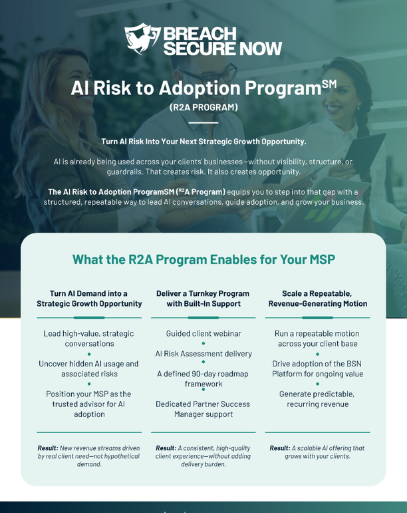
NEW AI Risk to Adoption Program
This new suite of resources is a structured, guided engagement that helps you:
• Lead strategic AI conversations with credibility
• Surface real risk, reveal Shadow AI, data exposure, & governance gaps
• Align leadership & define a 90-day roadmap
Find the Partner overview under "Flyers" in the Marketing Resource Centre
NinjaOne SaaS Backups
Powered by Dropsuite
Two security requirements will be enforced in June. Together, they strengthen access protection and data governance across your organizations. If you have not tackled these yet, please complete them while they're still optional and easy to schedule around.
Default Retention Policy
Users will continue seeing a prompt in the end-user portal to set a default retention policy. It’s still optional right now, but setting it now helps avoid a last-minute rush across organizations.
Once set, the default retention policy applies across Email, OneDrive, and SharePoint to keep coverage and compliance consistent.
Please see March Update for how to set Default Retention Policy
MFA Enforcement Prep
MFA rollout is continuing, and the updated login experience shows MFA prompts directly on the login page. When enforcement is disabled, users can skip the prompt, but we recommend enabling and adopting MFA ahead of June so your teams and customers are ready.
Check Point Avanan
Email DMARC Pricing Model
Effective July 1, 2026, Email DMARC will transition from a per-user pricing model to a per-customer model. This new structure is designed to better align with current market needs and provide a more scalable, predictable experience for you and your customers.
Under the new model, each customer will be supported for up to 100,000 emails per month. No action is required on your part or your customers' part—this change will be applied automatically.
Enhanced Support for Microsoft Teams with Non-E5 Licenses
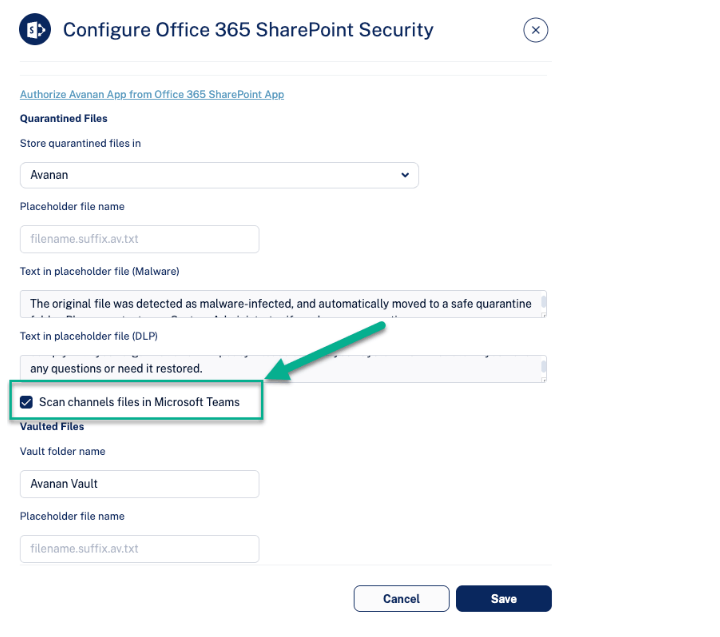
Avanan now allows organisations with limited Microsoft licenses to inspect files shared in Microsoft Teams chats and channels for both malware and DLP risks. For customers with advanced Microsoft licensing, protection is further extended to include the full content of messages across chats and channels. This flexible approach ensures that all customers receive meaningful protection based on their licensing tier, helping reduce exposure to malicious files and sensitive data leaks across collaboration workflows.
To enable Teams protection with a limited Microsoft license, navigate to Security Settings > SaaS Applications > SharePoint/OneDrive > Configure and select the Scan files in Microsoft Teams option. This should be configured for both OneDrive and SharePoint – OneDrive enables protection for direct chats, while SharePoint applies to Teams channels.
Track Reviewed Emails in the End User Portal with Read Status
Managing quarantined emails can become overwhelming, especially when users need to repeatedly review items they have already checked. This update introduces a simple way to track which emails have been reviewed, helping users stay organized and focused on what still requires attention.
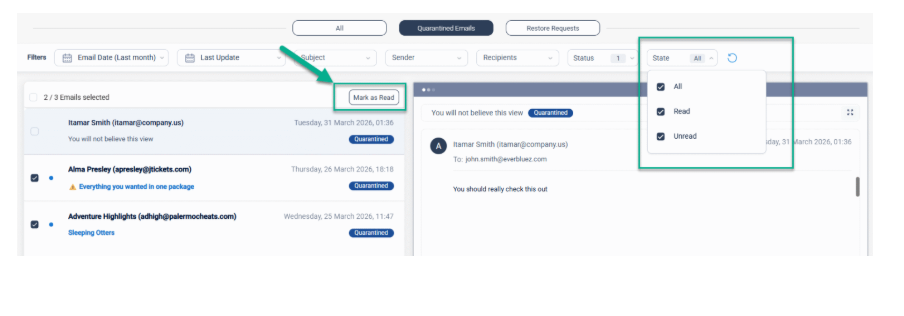
With this update, emails that are opened are automatically marked as read, giving users immediate visibility into what has already been reviewed. In addition, users can select multiple unread emails and mark them as read in bulk, as well as filter emails by read or unread status directly from the top navigation. This provides a more structured and efficient way to manage quarantine, helping users focus only on emails that still require attention.
Was this article helpful?
That’s Great!
Thank you for your feedback
Sorry! We couldn't be helpful
Thank you for your feedback
Feedback sent
We appreciate your effort and will try to fix the article