This Knowledgebase covers transferring a partners Webroot from an external distributor or direct with OpenText over to us.
1. We need to gather the following information from the partner.
We need their email address, parent KEYCODE, company name and contact person there.
We need customer’s consent to transfer under Manage Protect (copy of the email sent to you is enough)
2. Send an email to (wr-dlmanageprotectlicensing@opentext.com) with the above information from the partner.
3. OpenText licensing department responds back and confirms when transfer is possible. They will provide you with a date of when the next transfer is available.
4. We now need to process the order in the partner cart portal (on the renewal date Webroot will process the order, we can process this step before the transfer date).
- Login Into https://partnercart.webroot.com/ (if you don't have credentials saved please ask someone in the support team to provide you with access)
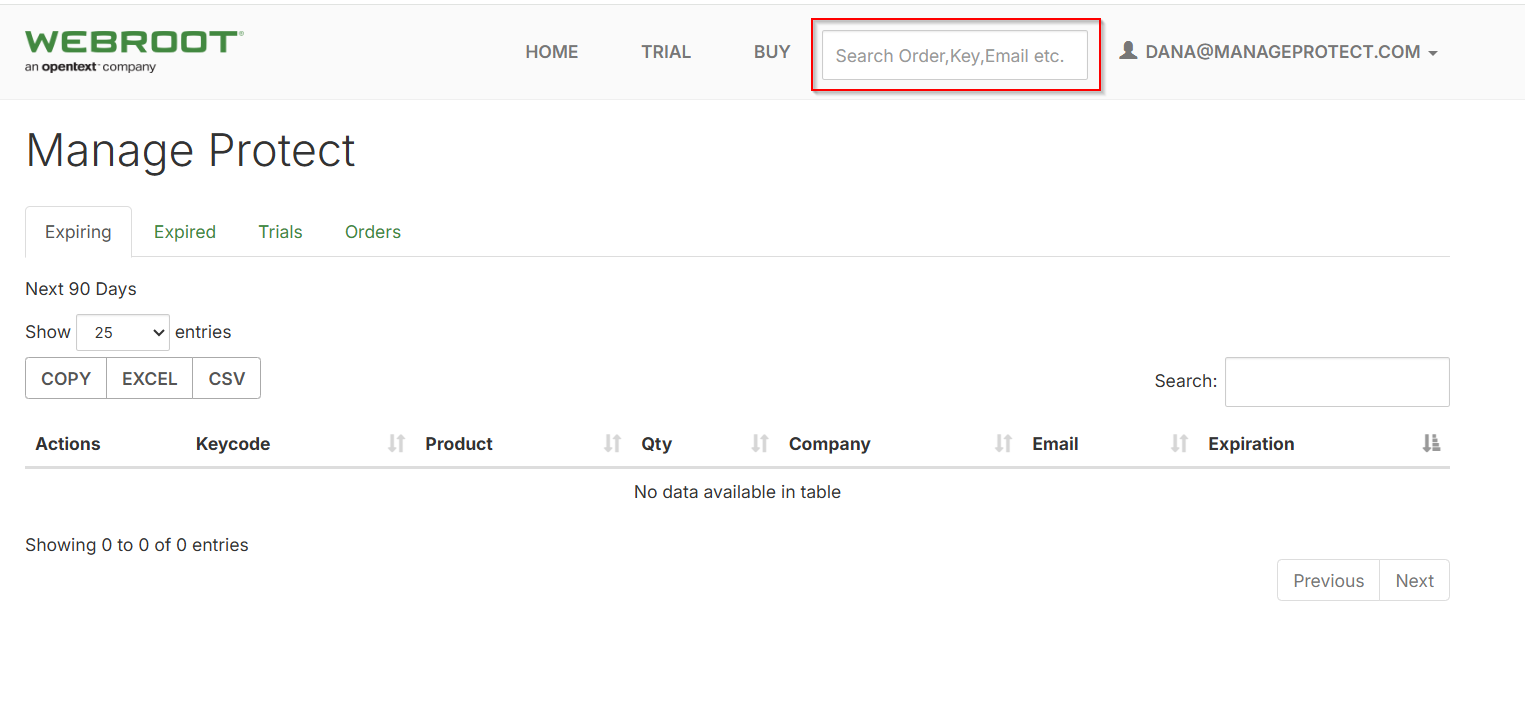
- Enter the Keycode and hit enter
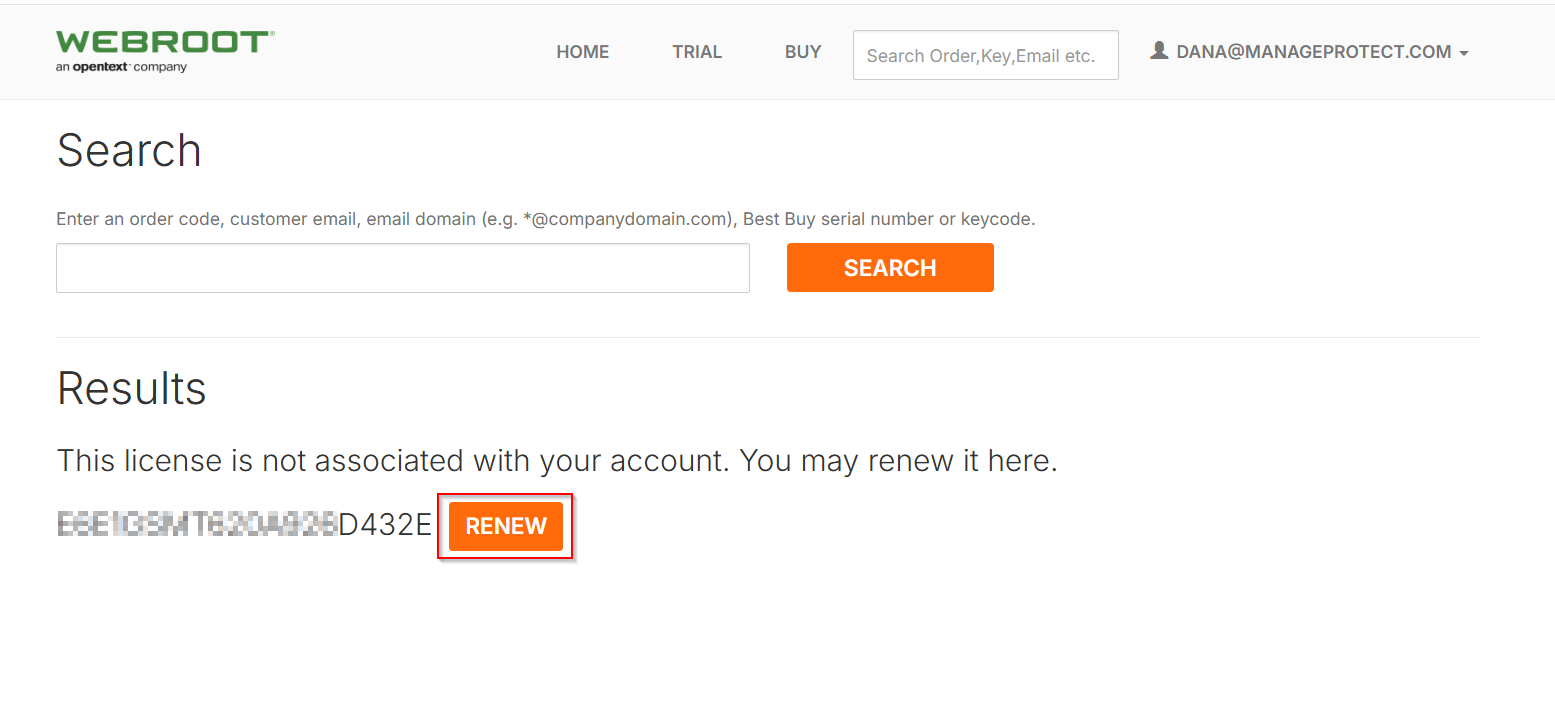
- Click Renew
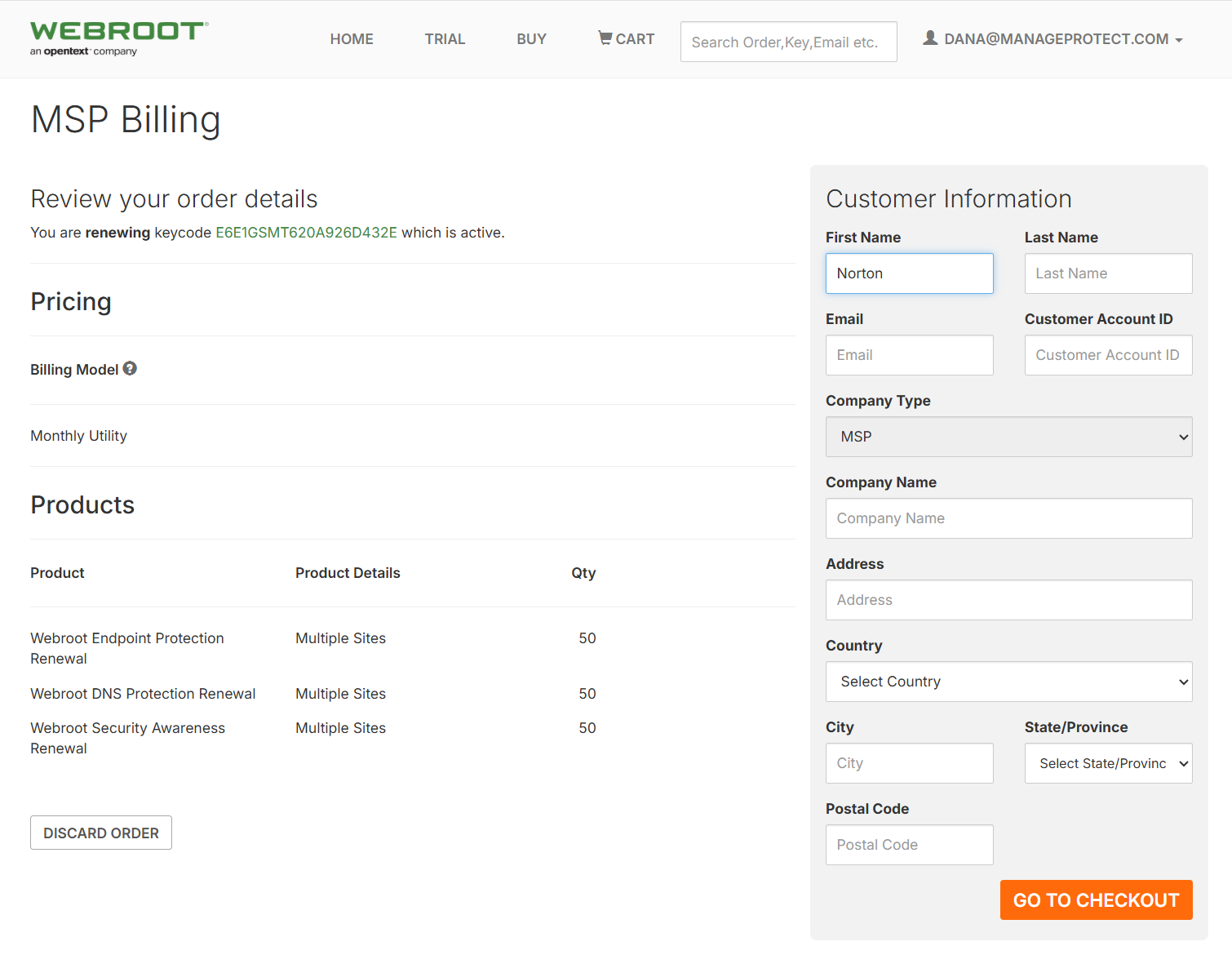
- Select go to Billing, then fill out the customer information. The Customer Account ID will be the MP Customer ID in salesforce. Once all the information is filled out select Go to Checkout
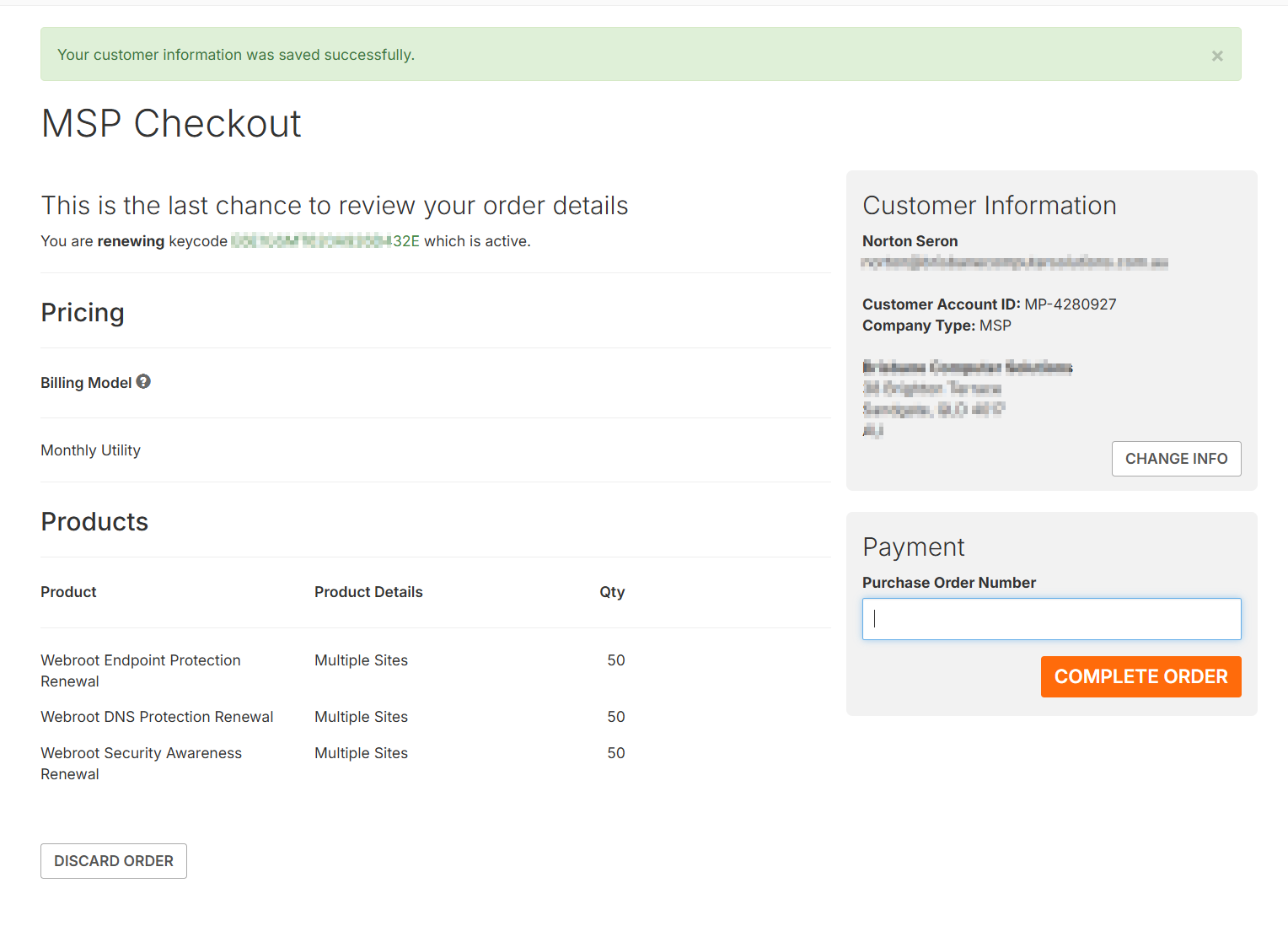
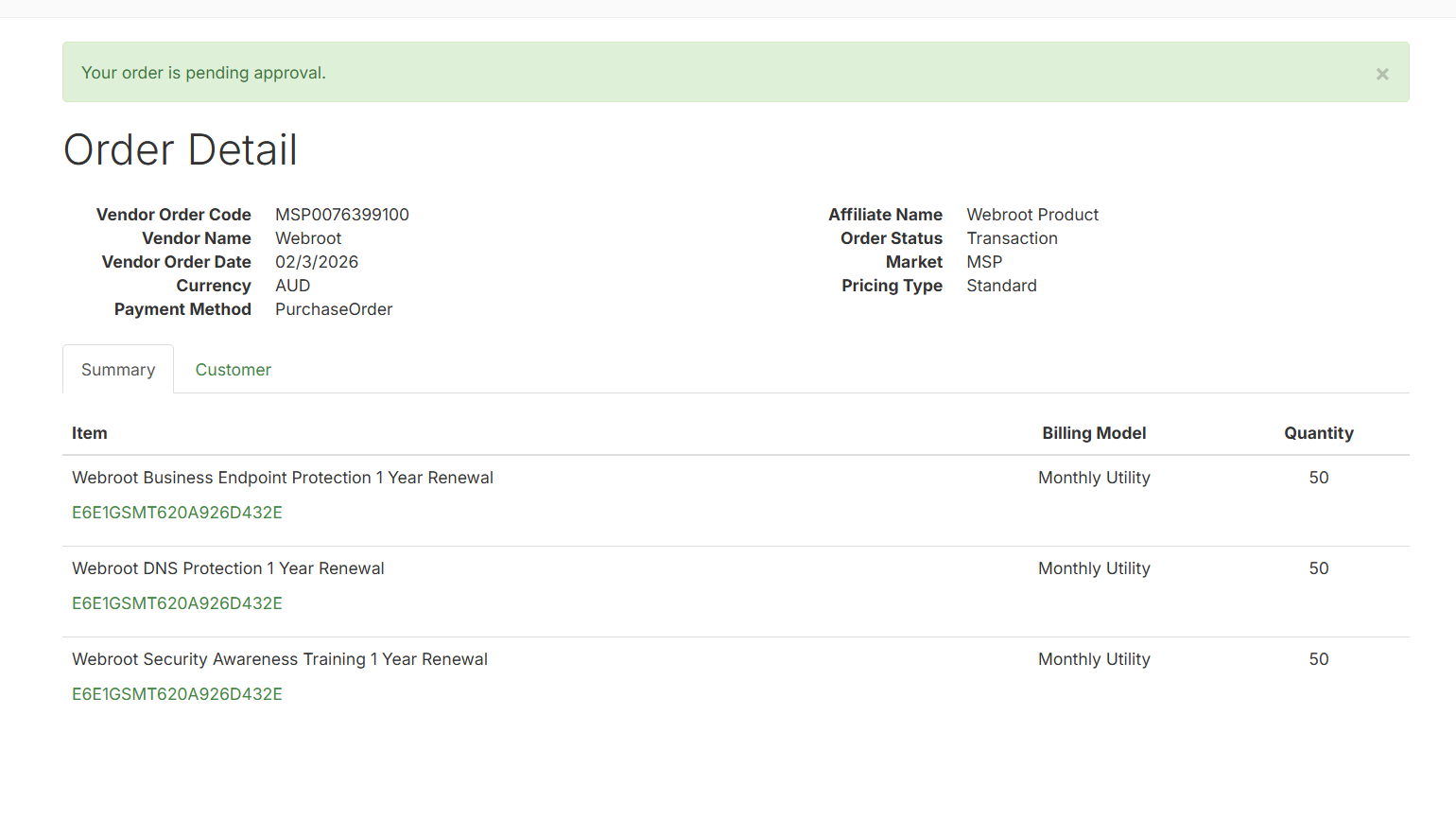
- Enter a relevant PO number (Can use the FreshDesk ticket Number) and select Complete Order
- OpenText will then approve the order on the transfer date. You may need to follow up with them to confirm as it is a manual process on their end, and a tech may forget to process it.
Was this article helpful?
That’s Great!
Thank you for your feedback
Sorry! We couldn't be helpful
Thank you for your feedback
Feedback sent
We appreciate your effort and will try to fix the article